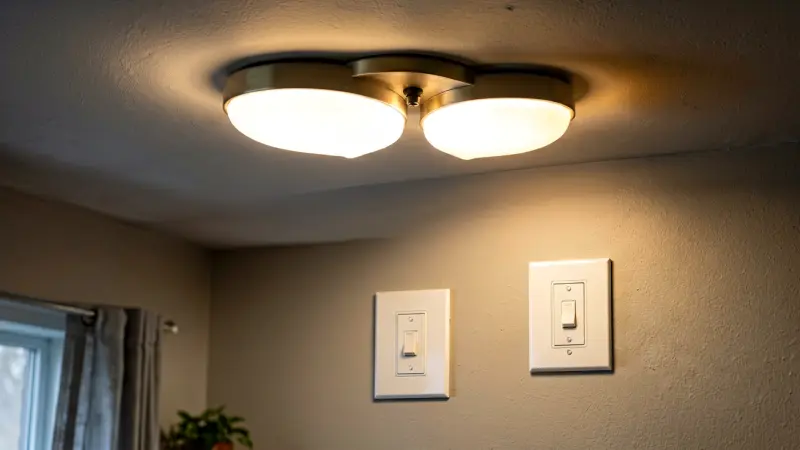
You flip a single switch and only half the room lights up. The second fixture stays dark, every time, no matter how many bulbs you swap. Two lights on one switch with only one working is one of the most misdiagnosed problems in home wiring.
Most people replace the switch first. That almost never helps, because the light that still turns on proves the switch is doing its job. The fault lives downstream, somewhere between the working fixture and the dead one.
This guide covers the real causes, the correct test order, and the repairs that actually last.
Why One Light Works and the Other Doesn’t
A switch does exactly one thing. It opens or closes the hot conductor feeding a circuit. Every fixture connected to that switch leg shares the same hot, neutral, and grounding path.
If one fixture lights up, the switch closed correctly and the circuit is energized. Power is reaching at least part of the run. That narrows the failure to the chain of connections after that point.
Picture the two fixtures as boxes linked by cable. Power enters the first box, feeds that fixture, then travels onward to the second. Any break in that middle span kills only the downstream light.
That is why one dead fixture is rarely a “switch problem.” It is a connection problem in the middle of the run.
The Working Fixture Is Your Best Clue
Here is a detail most troubleshooting guides skip. In a two-fixture daisy chain, the splice inside the first fixture carries current for both lamps at once.
The second fixture only carries its own load. So the most heavily loaded connection in the entire circuit sits inside the box of the light that still works.
Heat, oxidation, and loosening happen first at the busiest splice. The working fixture is often the one hiding the fault.
The Six Most Common Causes
1. A Loose Splice Inside the Working Fixture’s Box
This is the number one cause by a wide margin. The incoming hot feeds the first fixture, then continues out through a wire nut or push-in connector toward the second.
When that outgoing conductor works loose, the first lamp keeps burning and the second goes dark. The fix is simple: cut back the wire, re-strip, and re-terminate with a fresh connector.
2. A Failed Splice or Broken Wire at the Dead Fixture
If the cable arriving at the dead fixture shows full voltage, the problem is inside that box. Look for a wire that snapped at the strip point or a connector that was never tightened.
Fixture pigtails are often stranded wire. Wrapping a solid conductor around stranded wire can feel tight while only touching one strand. Always use a proper connector on mixed wire types.
3. The Switch Is Fine, But the Switched Leg Isn’t
A switch loop sends unswitched power down one conductor and returns switched power on another. A slightly loose terminal screw on the switch can still pass enough current for one fixture to light.
It may not pass enough for two, especially if one fixture draws more current. Snug every terminal to the torque value printed on the device label, not just “tight.”
If the switch itself is arcing or discolored, that is a separate warning sign worth investigating before anything else.
4. Bulb, Socket, and Driver Failures
A flattened center contact in a lamp holder stops making contact with the bulb base. The fixture works fine until someone changes a bulb, then it never lights again.
LED drivers and fluorescent ballasts fail independently too. One fixture’s driver dying does not affect the other fixture on the same switch.
Swap the bulb from the working fixture into the dead one as your first test. It costs nothing and eliminates the most common red herring.
5. Smart Switch and Dimmer Compatibility
Many smart switches and dimmers have a minimum load requirement. A single low-wattage LED may sit below that threshold and refuse to strike, while a larger fixture lights normally.
Electronic switches also leak a small amount of current for their own power supply. On a shared switch leg, that leakage can make one fixture glow faintly or flicker while the other behaves.
Check the dimmer’s minimum load rating against the combined wattage of both fixtures. Adding a load module usually solves it.
6. The Fixture’s Own Thermal Protector
Many recessed and enclosed fixtures contain a thermal cutout. When the housing overheats, the protector opens and kills that fixture only.
If one light works for a few minutes and then quits, and works again after cooling, this is almost certainly the cause. Insulation touching a non-IC-rated can is the usual trigger.
Replace the housing with an IC-rated unit or clear the insulation away. Never bypass a thermal protector.
Diagnostic Table: Match Your Symptom to the Cause
| What You See | Most Likely Cause | Where to Test First | Permanent Fix |
|---|---|---|---|
| One light dead all the time, other fine | Broken splice at the working fixture’s box | Voltage at the dead fixture’s hot terminal | Re-strip and re-terminate with a new connector |
| Dead light works when the bulb is wiggled | Flattened socket contact or corrosion | Center contact and shell inside the socket | Replace the lamp holder or fixture |
| Light works 5–15 minutes, then goes out | Thermal protector tripping | Housing rating and insulation contact | Install an IC-rated housing or clear insulation |
| One LED flickers or glows dimly | Dimmer minimum load mismatch | Dimmer spec sheet vs. total lamp wattage | Add a load module or change the dimmer |
| Plug-in lamp on a switched outlet won’t light | Broken or missing brass tab in the receptacle | Receptacle terminal screws | Replace the receptacle |
| Both fixtures dead after unrelated work | Disturbed shared neutral splice | Neutral connections in the working box | Re-splice and torque the neutral |
Step-by-Step Troubleshooting
Step 1: Kill the Power and Verify It
Turn off the breaker that feeds the circuit. Then confirm it with a tester at the fixture, not just at the panel.
Flip the switch a few times after killing the breaker. Some circuits are wired from a second source, and a surprise live conductor is how people get hurt.
Step 2: Rule Out the Obvious
Test the bulb in a known-working socket. Check that the socket center contact is not pushed flat. Confirm the switch actually clicks and is not stuck in a middle position.
These checks take two minutes and eliminate a surprising share of false alarms.
Step 3: Open the Working Fixture First
This is the step nearly everyone skips. The working fixture holds the splice that feeds the dead one, and it carries the heavier load.
Look for a wire nut with scorched insulation, a burned smell, or a conductor that pulls free with light tugging. Re-terminate anything that feels loose.
Step 4: Test Voltage at the Dead Fixture
Restore power briefly with the switch on. Measure hot to neutral, hot to ground, and neutral to ground at the dead fixture.
A full reading hot-to-ground with nothing hot-to-neutral points to an open neutral. A reading near zero on all three points means the hot never arrives, so the break is upstream.
Watch out for ghost voltage. Digital meters often display 30–80 volts on a completely disconnected conductor due to induction. Use a low-impedance tester to confirm a real reading.
Step 5: Inspect the Switch Box Last
Only after the fixtures check out should you open the switch. Look for a loose load terminal, a backstabbed conductor, or heat discoloration on the device.
Backstabbed connections are a well-known weak point. They loosen over decades of thermal cycling, and they fail under load far more often than screw terminals.
When the Wiring Design Itself Is the Problem
Daisy Chain vs. Home Run
Two lights on one switch are usually daisy chained: power runs to fixture one, then continues to fixture two. A single loose connection anywhere in that chain takes out everything downstream.
Home-run wiring instead sends a separate cable to each fixture from a central junction. It costs more copper but makes failures far easier to isolate.
Thinking about how your circuit is laid out before you start troubleshooting saves hours of guessing.
Shared Neutrals and Multi-Wire Branch Circuits
Some homes run two circuits that share a single neutral. If that shared neutral loosens, odd things happen across both circuits.
One fixture may work while another on the same switch leg does not, and voltages can swing strangely. Shared neutrals are also a shock hazard when someone works on one circuit and kills only half the power.
If two breakers must be off to make a box safe, you have a multi-wire branch circuit. Treat it with extra caution and consider upgrading the design.
Three-Way Switches and Travelers
Occasionally, “one switch” is really part of a three-way setup where a traveler was miswired or abandoned. The result is a fixture that lights only in certain switch positions.
If the dead light behaves differently depending on a second switch elsewhere, the traveler wiring is the place to look.
Special Cases: Bathrooms, Garages, and Outdoor Lights
Lights over a vanity, in a garage, or on a porch are often protected by a GFCI device. A tripped or failing GFCI can leave one fixture dead while another on a different leg keeps working.
Check any GFCI upstream before you tear into wiring. Resetting one button is faster than opening three boxes, and the same logic applies when a switched GFCI outlet feeds an exterior fixture.
Damp locations also corrode connections faster. Outdoor fixtures frequently fail at the wire nut long before the fixture itself gives out.
Garage and shop lights on a single switch often run on one circuit with several other loads. Excess load on a tired circuit shows up as one flickering fixture long before a breaker trips.
Repairs That Actually Last
Cut conductors back to clean, shiny copper. Re-strip to the correct length for the connector and never reuse a wire nut that has already been tightened once.
Use connectors rated for the wire combination you have, especially when mixing solid and stranded wire. Pigtail the fixture rather than daisy chaining through a device terminal.
Wrap outdoor and damp-location splices with silicone or use listed waterproof connectors. Moisture is the slow killer of connections that otherwise tested perfectly.
Finally, torque terminals to the manufacturer’s spec. Loose terminals heat up, and heat is what starts the whole cycle again.
When to Call a Licensed Electrician
Call a professional if you find aluminum branch wiring, scorched insulation, or a burning smell inside a box. Call immediately if a breaker trips repeatedly when the dead fixture is connected.
Also call if you cannot account for every conductor in a box. Unknown wires, abandoned cables, and shared neutrals are the situations that turn a weekend project into a serious hazard.
An electrician with a clamp meter and a circuit tracer can locate a broken run in minutes that would take hours of guessing.
Frequently Asked Questions
Why do two lights on one switch only have one working?
Almost always a loose or failed connection between the two fixtures. The switch is proven good by the fixture that still lights.
Can one switch safely control two lights?
Yes, as long as the total load stays within the switch rating and the wire gauge matches the breaker. Two typical LED fixtures draw very little current.
Why does one light work only sometimes?
Intermittent operation points to a loose splice, a thermal protector cycling, or a bulb that is not seated firmly in its socket.
Does a dead light mean the switch needs replacing?
Rarely. Replace the switch only after voltage testing proves the switch is not passing power to the load side.
Is it worth upgrading to separate switches?
Separate switches give you control and easier troubleshooting. It is worth considering when you already have the walls open for repairs.
Final Thoughts
Two lights on one switch with only one working is nearly always a connection problem, not a switch problem. Start at the fixture that still lights, because that box carries the heavier load and holds the splice feeding the dead one.
Work methodically: verify power is off, test the bulb, open the working fixture, then test voltage at the dead one. That order finds the fault faster than replacing parts at random.
Handle the repair with fresh connectors, correct torque, and clean copper, and the circuit will stay reliable for years.